
Hanko for Sheets
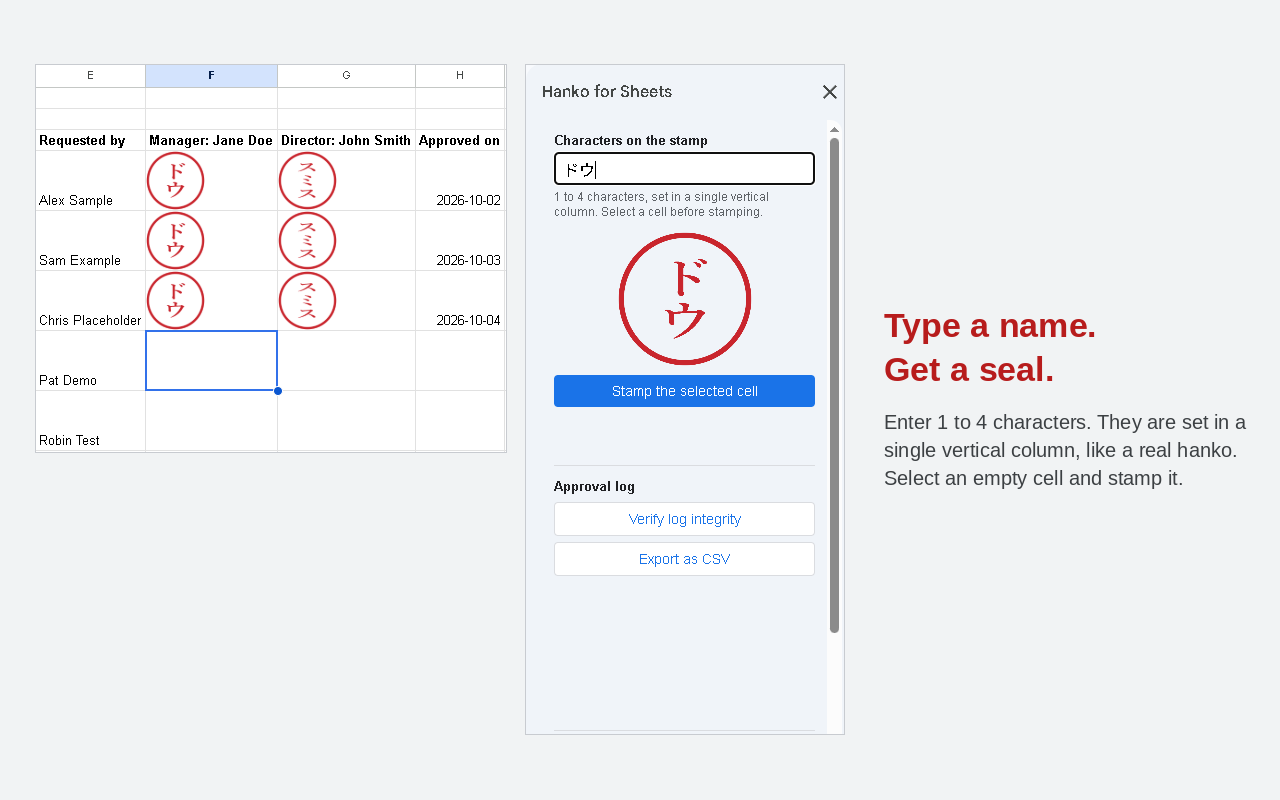
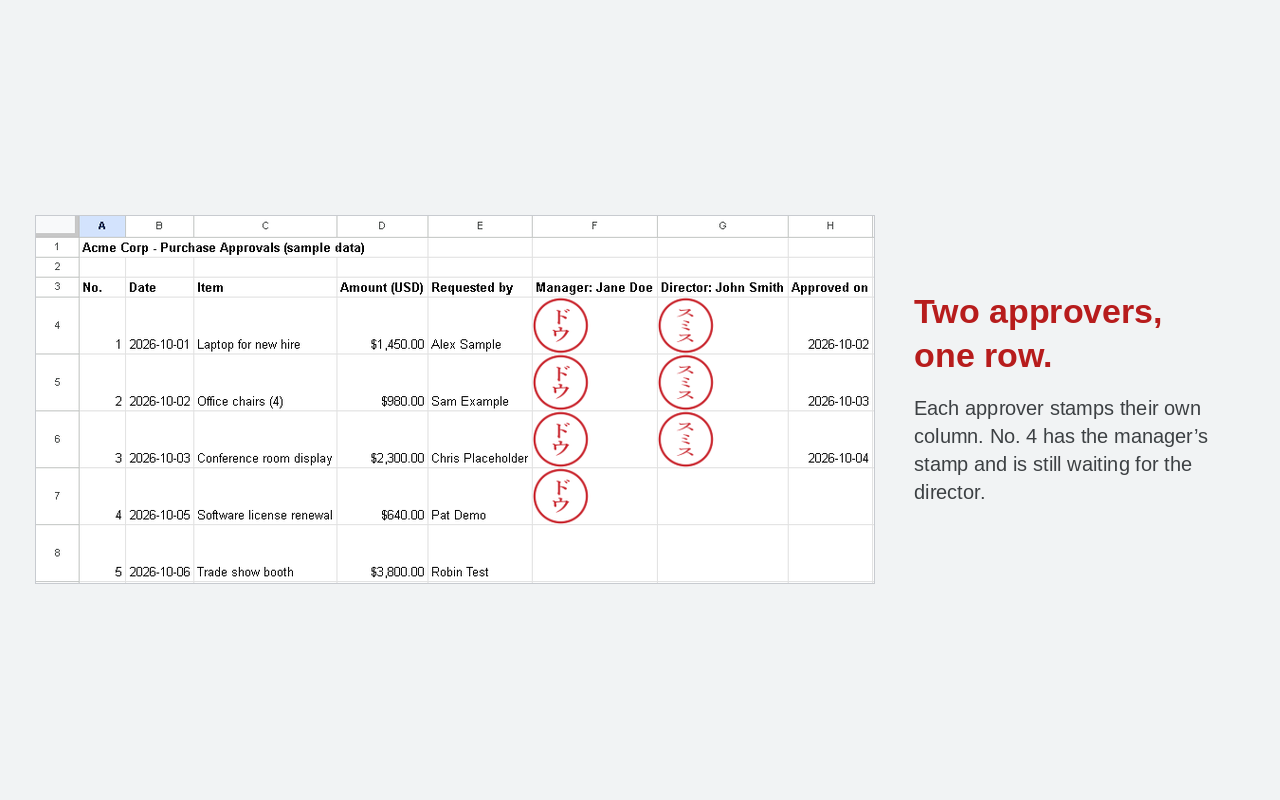
Put a Japanese approval stamp (hanko) on a Google Sheets cell — and it stays on the row it was stamped on.
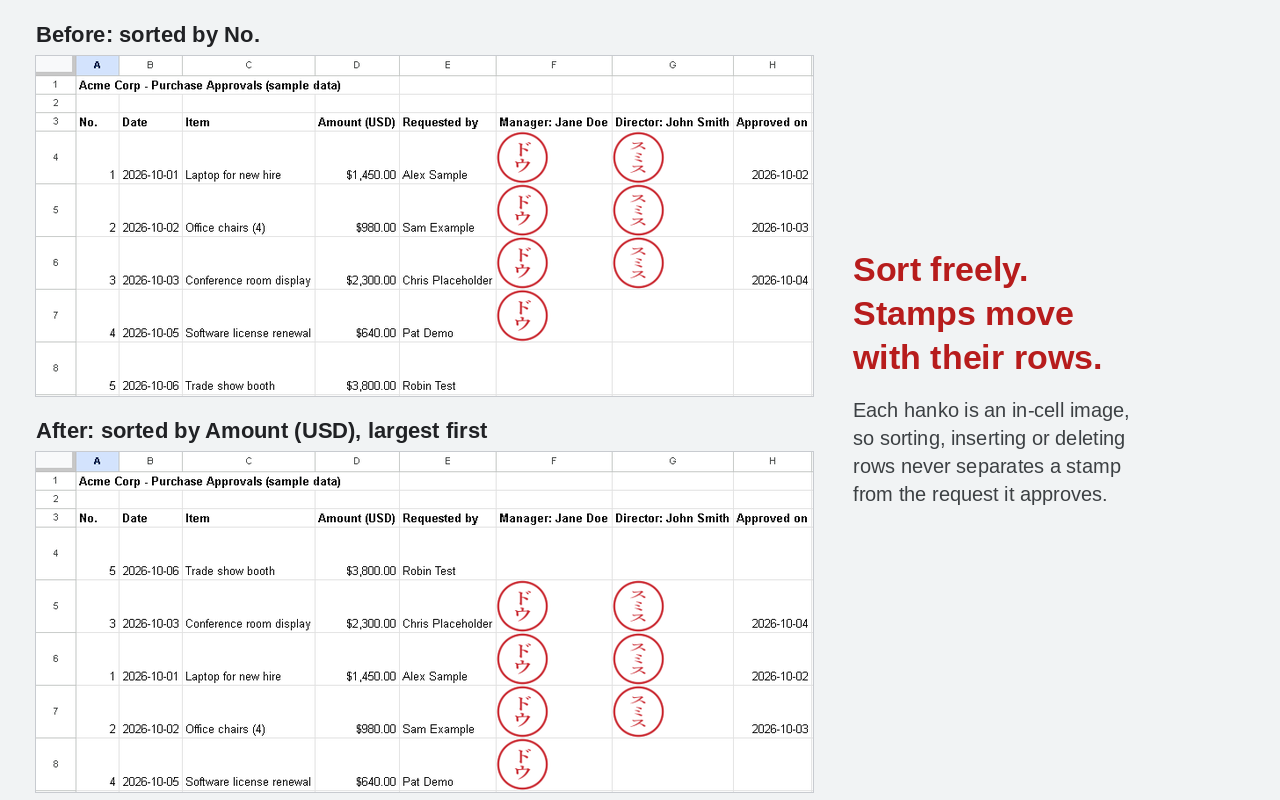
Existing tools place the stamp as a floating image over the grid. Sort the sheet, insert a row, and the stamp drifts to a document it never approved. Hanko for Sheets places the stamp inside the cell, so it moves with the row.
What it does
- Draw a round Japanese seal from a name you type — no image file to prepare
- Place it inside the cell, not floating over the grid
- The stamp stays on its row through sorting, row and column insertion and deletion, sheet copying, and PDF export
- Collaborators see it. So does the printed PDF
What it will not do
These are stated plainly, because knowing them before you start matters more than a longer feature list.
- Exporting to .xlsx converts the stamp into a floating image. When you hand the file to someone outside your organization, export it as PDF — the stamp stays fixed to its row.
- Copying a cell into a different spreadsheet drops the stamp. To move it to another file, copy the whole sheet.
- Stamping requires an internet connection. Google Apps Script does not run offline.
None of these can make an unstamped row look stamped. That is the line this product holds.
Paid add-on — Approval Log
The stamp shows that someone approved. It does not prove who, or when.
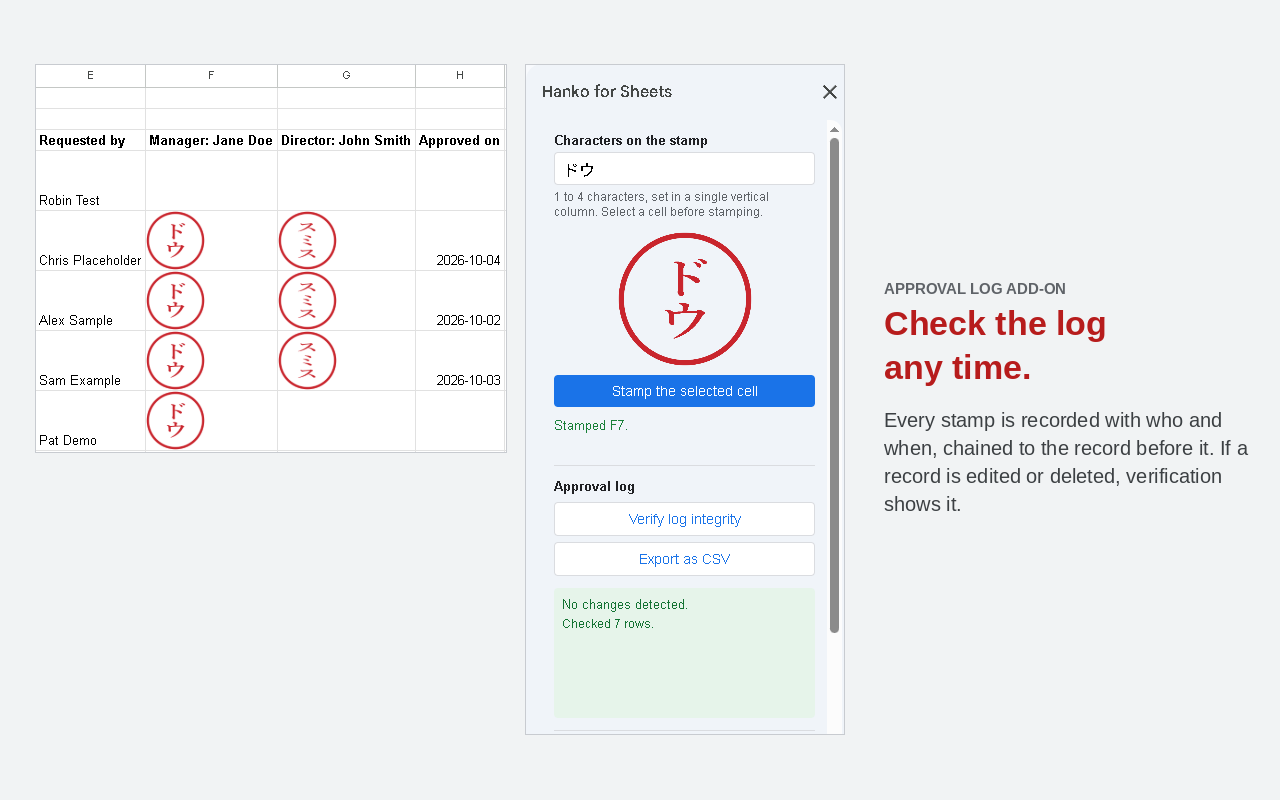
The Approval Log records every stamp: the Google account that placed it, the time, and the cell. Each row carries a hash of the row before it, and the latest hash is stored where the sheet cannot reach it.
So all four of these are detected:
- A log row is edited
- Rows at the end are deleted
- The entire log sheet is deleted
- The document is copied and taken elsewhere — this is reported as “no reference record found (this may be a copy)”, never as tampering
Records stay inside your own spreadsheet. The log is never sent anywhere. Export the log to CSV and the chain can be verified from that single file alone.
¥3,980 — one-time purchase. No subscription, no expiry.
Permissions
Hanko for Sheets requests three permissions and no others:
- spreadsheets.currentonly — To place the stamp in the spreadsheet you have open. It cannot see your other files.
- script.container.ui — To show the sidebar.
- userinfo.email — To record who stamped, in the Approval Log. Stored in your own spreadsheet; never transmitted.
We deliberately do not request drive or drive.readonly.
Privacy Policy ・ Terms of Service
Support and contact
Questions, problems or requests: email dailypicks.blog@gmail.com. We usually reply within 2 business days (in English or Japanese). Please tell us what you did, what you expected, and what happened instead.
Hanko for Sheets(日本語)
スプレッドシートの稟議書に印を押す。押した行から動かない印を。
既存のツールは、印をセルの上に浮かせた画像として置きます。並べ替えたり行を挿入したりすると、印は承認していない稟議の横に移動します。
Hanko for Sheets は、印をセルの中に入れます。だから行と一緒に動きます。
できること
- 名前を打つと丸印が描かれる。画像ファイルを用意する必要はありません
- セルの中に入るので、並べ替え・行列の挿入削除・シートごとのコピー・PDF書き出しで押した行から動きません
- 共同編集者にも見えます。印刷したPDFにも出ます
できないこと
長い機能一覧より、始める前にこれを知っているほうが大事なので、先に書きます。
- .xlsx に書き出すと、印はセルの上に浮いた画像に変わります。 社外に渡すときは PDF で書き出してください。印影は行に固定されたまま出ます。
- 別のスプレッドシートにセルを貼り付けると、印は付いてきません。 別のファイルへ移すときは、シートごとコピーを使ってください。
- オフラインでは押せません。 Google Apps Script はオフラインで動きません。
3つとも、押していない行が押印済みに見える方向には倒れません。 そこがこの商品の線です。
有料アドオン — 承認ログ
印は「誰かが承認した」ことを示しますが、「誰が」「いつ」は証明しません。
承認ログは、押すたびに記録を残します。誰が(Googleアカウント)・いつ・どのセルに。各行は1つ前の行のハッシュを含み、最新のハッシュはシートから触れない場所にも保存されます。
だから次の4つが全部検出できます。
- ログの行を書き換える
- 末尾の行を消す
- ログのシートごと消す
- コピーして持ち出す → これは改ざんではなく「この文書には照合用の記録がありません(コピーされた文書の可能性があります)」と表示されます
記録はそのスプレッドシートの中だけに保存されます。この記録が外部に送信されることはありません。 CSVで書き出せば、そのファイル1枚だけでチェーンを検証できます。
¥3,980 買い切り。サブスクリプションではありません。期限もありません。
権限について
Hanko for Sheets が求める権限は3つだけです。
- spreadsheets.currentonly — 開いているスプレッドシートに印を置くため。他のファイルは見られません
- script.container.ui — サイドバーを表示するため
- userinfo.email — 承認ログに「誰が押したか」を記録するため。利用者自身のスプレッドシート内に保存され、送信されません
drive や drive.readonly は意図的に要求していません。
サポート・お問い合わせ
使い方の質問・不具合・ご要望は、メール dailypicks.blog@gmail.com へ。通常2営業日以内に返信します(日本語・英語)。行った操作・期待した結果・実際に起きたことを書いていただくと早く対応できます。