
Every slide of a Google Slides presentation, as PNG or JPG, in one ZIP.
Google Slides can download one slide at a time as an image. Export Slides as Images downloads all of them at once, named in order, in a single ZIP file.
Install
Install from the Google Workspace Marketplace →
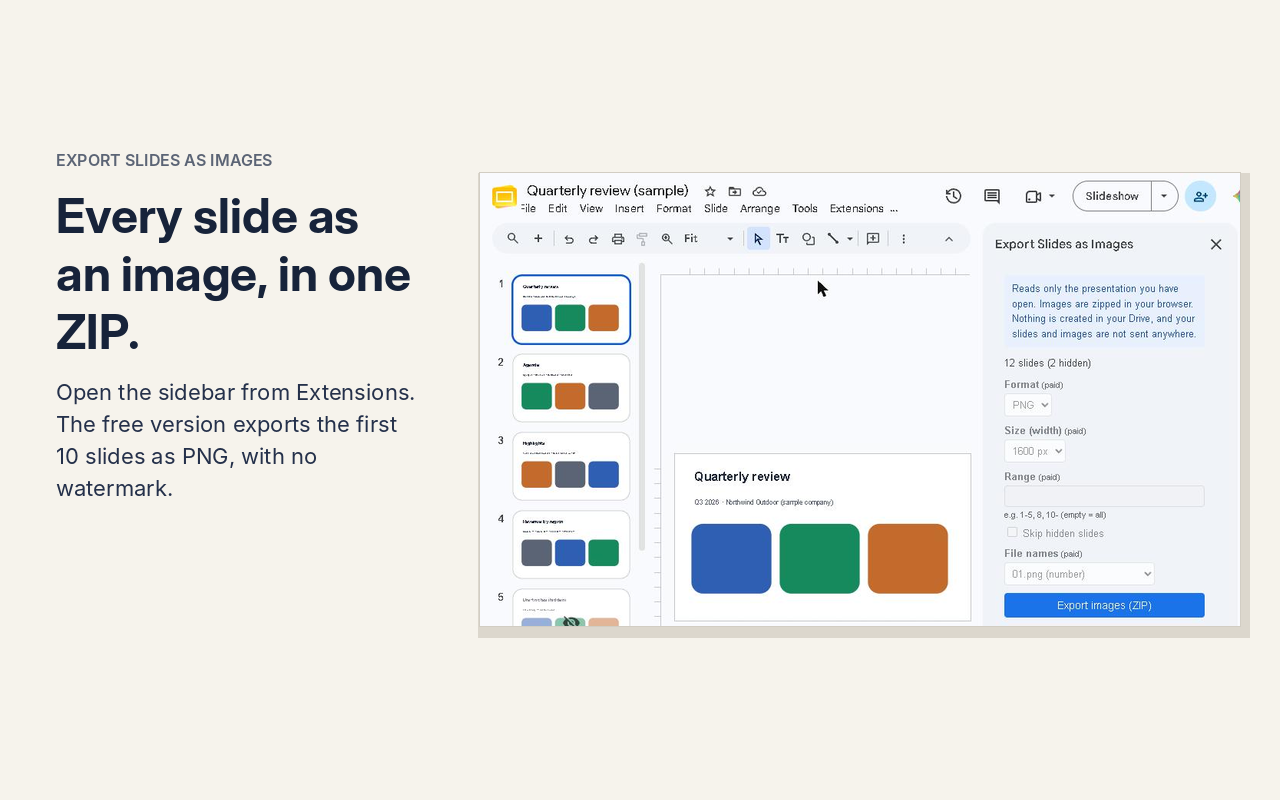
Your slides stay with you
The add-on reads only the presentation you have open. Images are zipped in your browser. Nothing is created in your Drive, and your slides and images are not sent anywhere.
Access to only the file you choose. The first time, Google’s file picker opens with the presentation you have open already selected — press “Select” once. The add-on can then read only that file; it cannot see your other files.
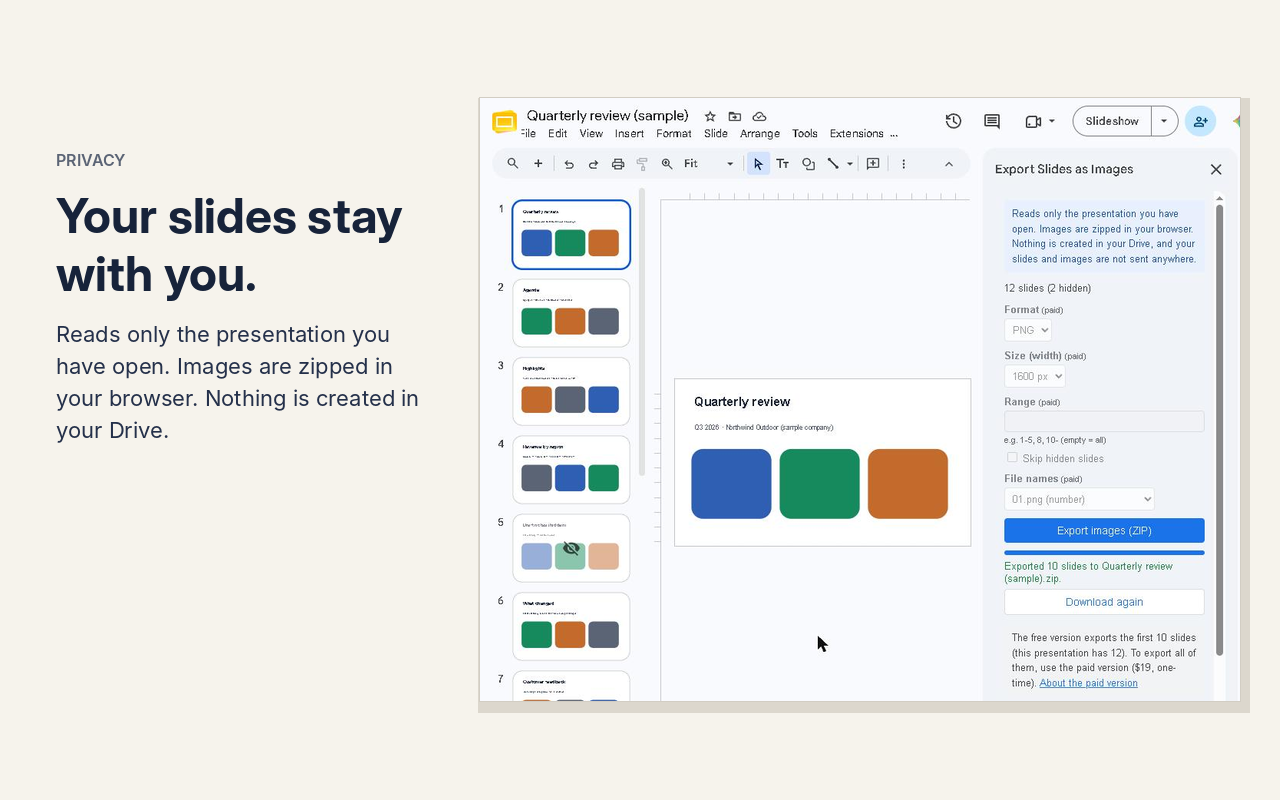
Free
- The first 10 slides as PNG, 1600 px wide
- No watermark
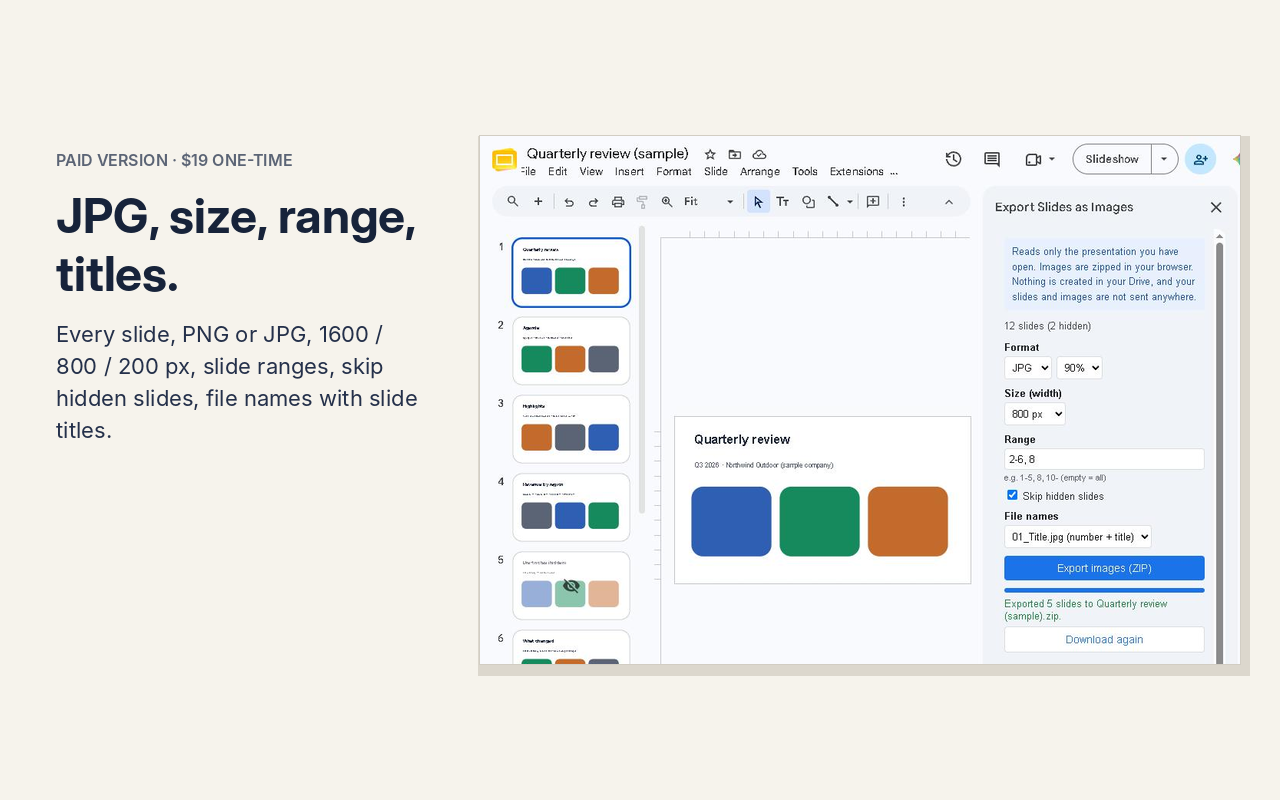
Paid — $19, one-time
- Every slide, no limit
- PNG or JPG (with a quality setting)
- 1600, 800 or 200 px wide
- Choose slides: for example
1-5, 8, 12- - Skip hidden slides
- File names with slide titles:
03_Revenue by region.jpg
How to use
- Open a presentation, then choose Extensions → Export Slides as Images → Export slides as images.
- The first time, press Allow access and select the presentation in Google’s file picker.
- Press Export images (ZIP). The ZIP downloads to your computer.
- For the paid features, paste your license key under License (paid version) in the sidebar and press Activate. It works in every presentation you open with that Google account.
If you are signed in to more than one Google account and the sidebar does not load, open the presentation in a window signed in to only one account.
All the ways to save every slide as an image, including ones without an add-on: Download every slide as an image at once.
User guide with screenshots → | 使い方ガイド(日本語)→
Support
Questions and bug reports: dailypicks.blog@gmail.com
Privacy Policy · Terms of Service
日本語の概要
Google スライドの全ページを、PNG か JPG の ZIP 1つにまとめて書き出すアドオンです。開いているスライドだけを読み、画像はあなたのブラウザで ZIP にします。Drive に何も作らず、スライドの内容や画像をどこにも送りません。
- 無料:先頭10枚を PNG(幅1600px)で。透かしなし
- 有料($19・買い切り):全ページ、PNG か JPG、幅 1600/800/200 px、ページの範囲指定、非表示スライドを除く、ファイル名にスライドのタイトル
使い方:プレゼンテーションを開き、「拡張機能」→「Export Slides as Images」→「スライドを画像で書き出す」。最初の1回だけ「アクセスを許可する」を押し、Google のファイル選択でこのプレゼンテーションを選びます(このアドオンが読めるのは、選んだファイルだけです)。Google Workspace Marketplace からインストールできます。
有料版の販売は Gumroad(販売事業者)を通じて行います。お問い合わせ:dailypicks.blog@gmail.com